Unlimited AI upscaling. Pay once.
The AI upscaler built for print-on-demand sellers. Sharp 300 DPI print files from any AI art, made on your own PC. No subscription. No credits.
14-day money-back guarantee5 images free in your browser, and they’re never uploaded. The app runs on Windows 10 & 11.
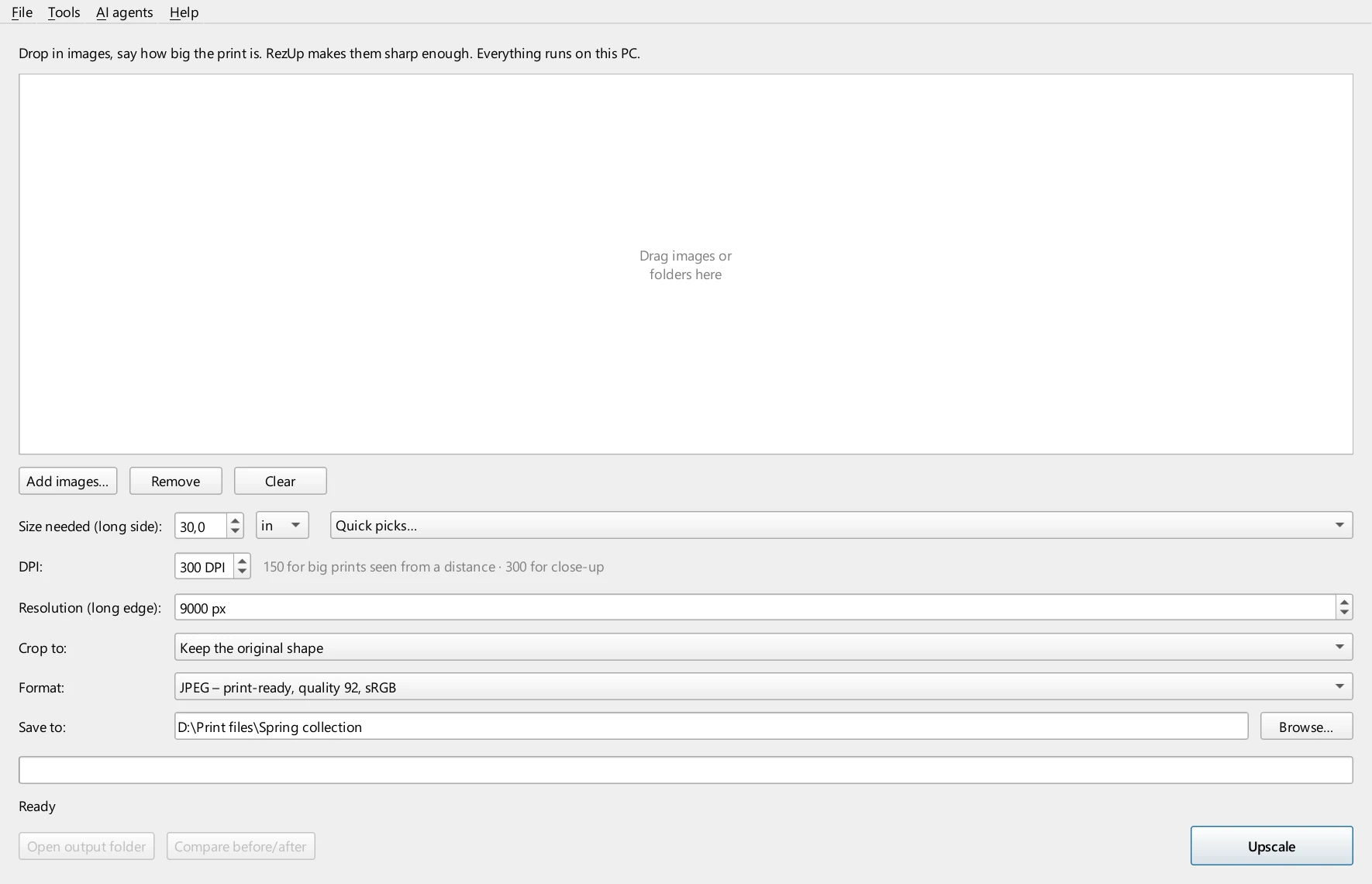
Four steps. That’s the whole app.
No settings to learn and no jargon. These are real screenshots, not a mockup.
Zoom in until it hurts.
This is what a big print really shows. Same spot from the photo at the top of this page, enlarged eight times from a small JPEG.
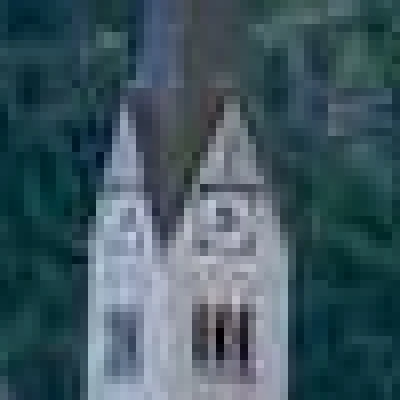
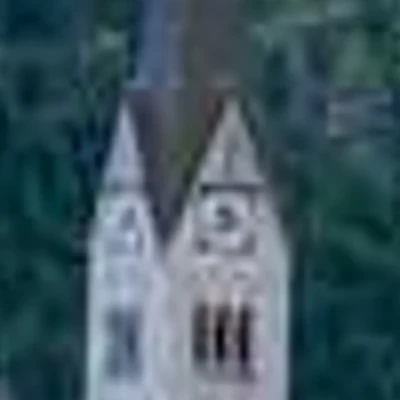
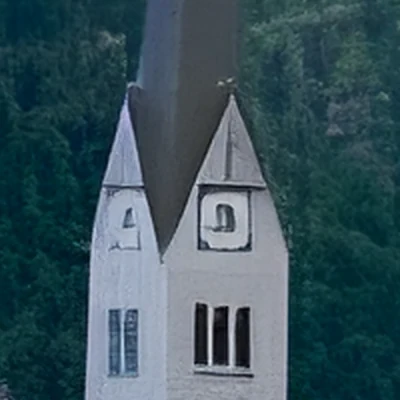
Real RezUp output from the hero photo (792 → 6,336 px). Nothing retouched.
Stop renting your upscaler.
Online upscalers sell credits because every image costs them server time. RezUp runs on your own graphics card, so there is nothing to ration. Upscale as much as you like, for one price.
| RezUp | Let’s Enhance | Topaz Gigapixel | |
|---|---|---|---|
| Price | $59 once ($39 at launch) | $9–45 a month | $149 a year |
| Images | Unlimited | 100–500 credits a month | Unlimited |
| At once | Whole folders, hundreds of images | 20 per upload | Whole folders, hundreds of images |
| Runs on | Your PC, works offline | Their servers (upload needed) | Your PC |
Competitor prices from their own websites, October 2026; upload limits, November 2026.
Every style. Sharper.
Real RezUp results from small and compressed files, the kind you actually have. Drag the line to compare a normal resize with RezUp.
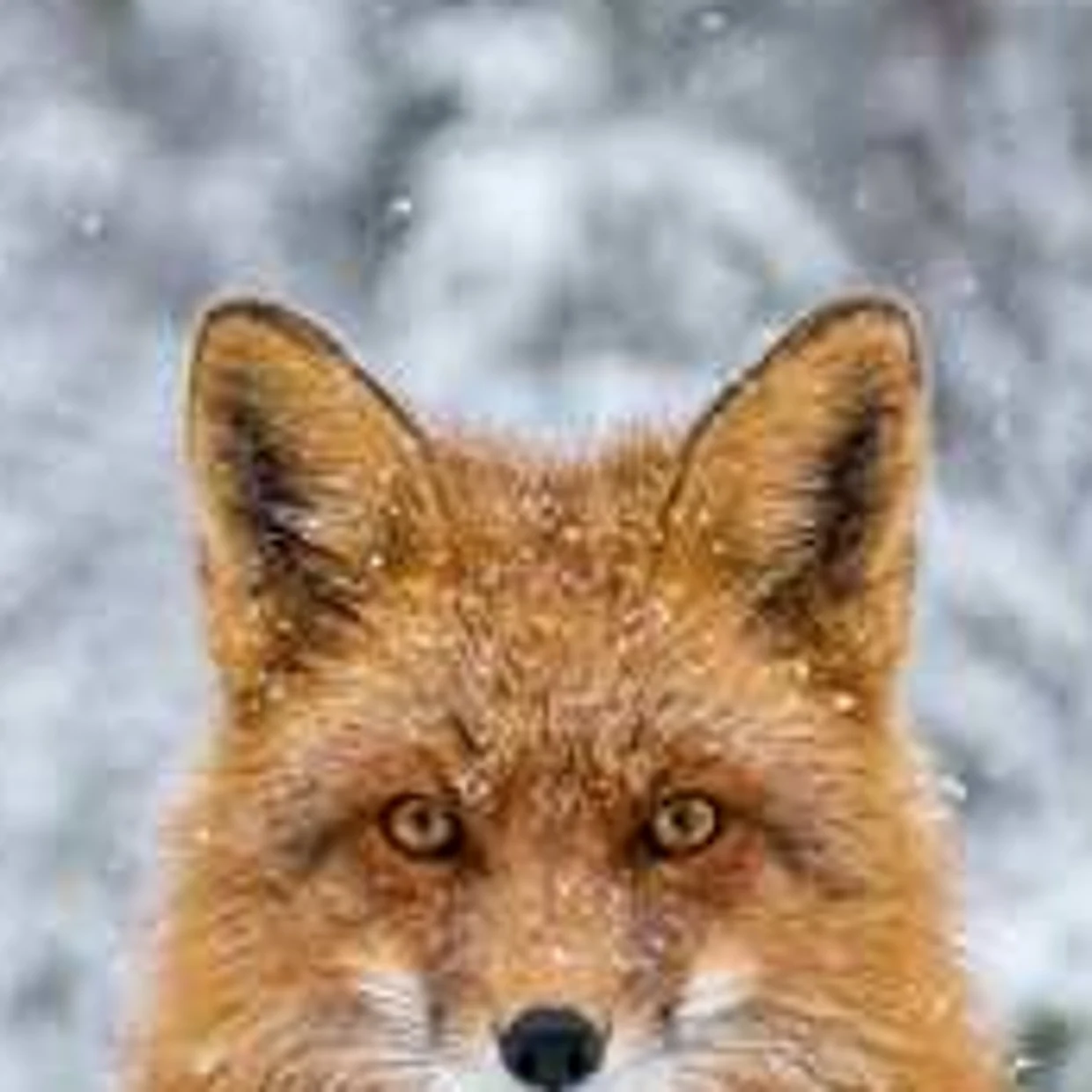
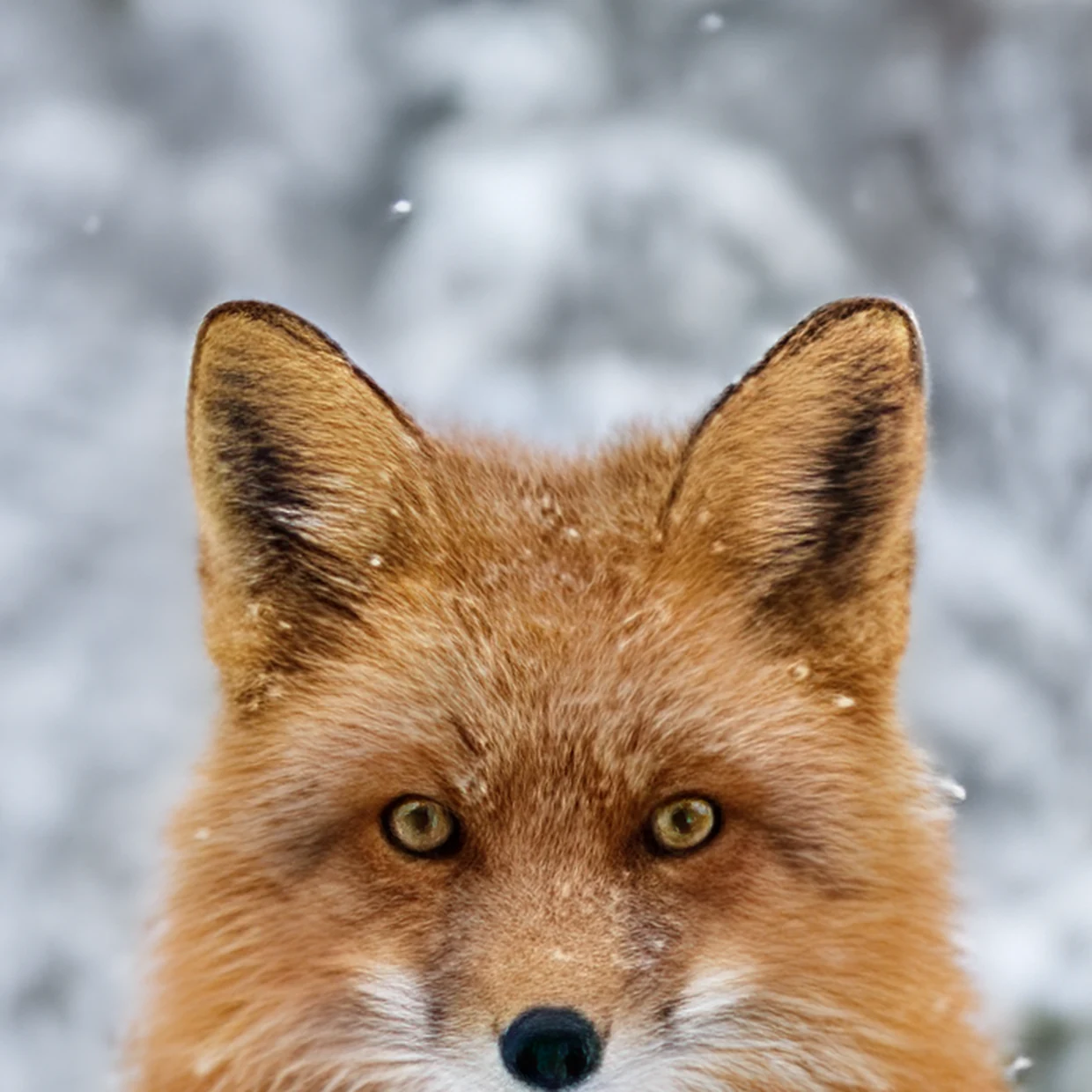
Start file: 640 px JPEG saved from the web (516×640), shown enlarged 7×
On the wall, the difference is obvious.
Your customers see a framed print, not a thumbnail. The circle shows the lettering up close: normal resize on the left, RezUp on the right.
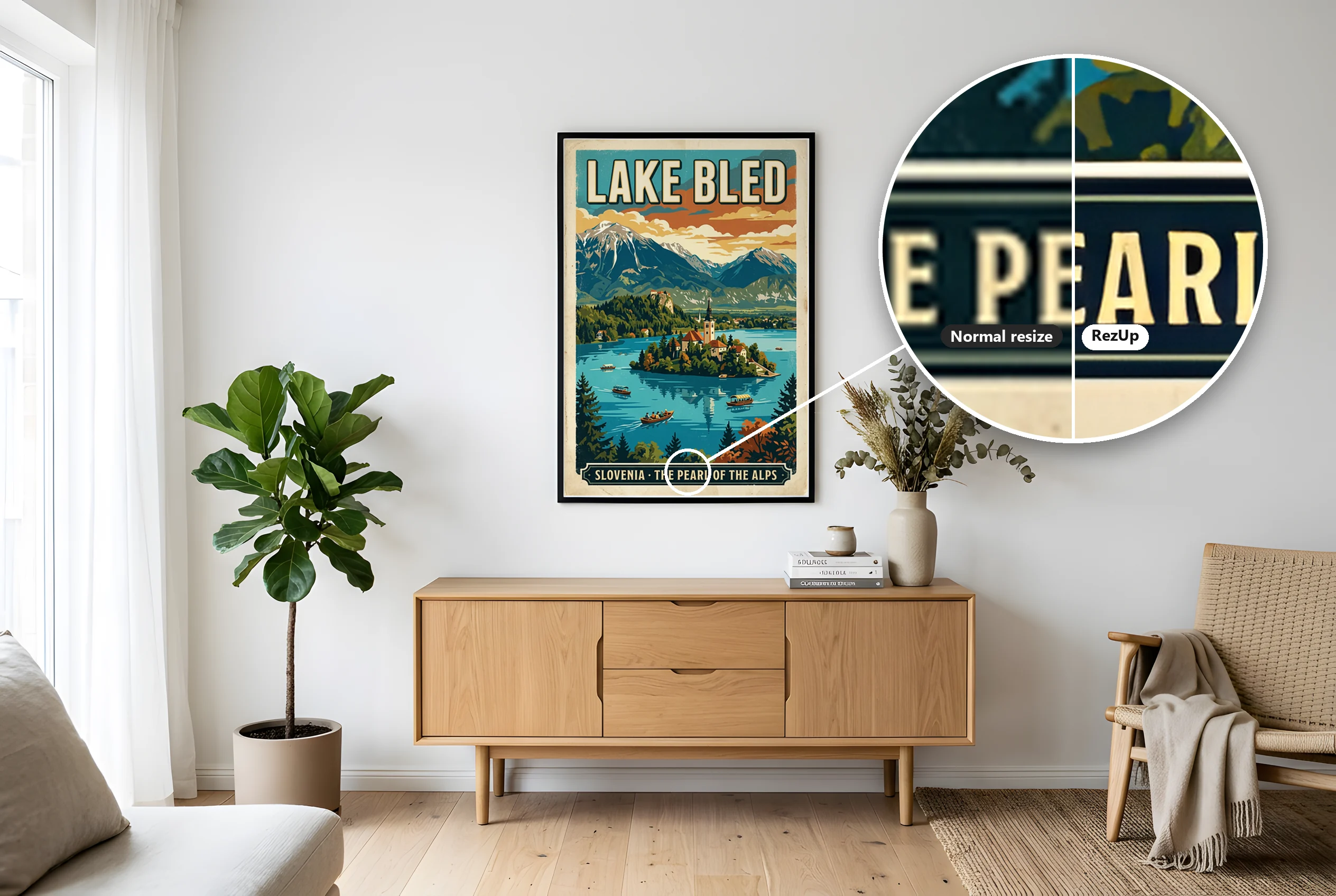
Poster made from a 512 px image (343×512); the lens shows it enlarged 13×
See it on your own art.
Drop an image into the free browser demo and move the lens over it. Nothing to install, and your first image needs no sign-up.
What size can I print?
Type your image’s size in pixels. See how big it prints sharp today, and with RezUp. Print shops want 300 pixels for every inch.
RezUp’s AI enlarges up to 4× and checks every file before you sell it. 150 DPI is fine for big prints seen from a distance.
One image in. A complete printable pack out.
Selling printable wall art on Etsy? Pick “Standard print sizes” and RezUp turns one image into every frame shape buyers ask for, each at 300 DPI. Drag a dot to choose what stays in the frame.

Not just wall art.
T-shirts, mugs and stickers print at 300 DPI too, and a typical 1,024 px AI image falls short on every one of them. RezUp makes the file each product needs, with a transparent background when it needs one.
T-shirt front
About 5× a 1,024 px image.
Mug wrap, 11 oz
About 2.5× a 1,024 px image.
Sticker, 6 × 6 in
About 2× a 1,024 px image.
Typical sizes at 300 DPI. Each platform has its own rules, and RezUp knows them.
Knows every platform’s file rules.
Pick a platform and RezUp applies its exact size, DPI, format and transparency.
Made your art in Midjourney, Artlist, OpenAI or Nano Banana? RezUp takes it from there. Not selling? It makes any image bigger and sharper, for your own walls too.
Transparent backgrounds
Clean cut-outs for shirts, stickers and mugs, in the same step.
Seamless patterns
Patterns keep tiling after upscaling, with no visible seams.
Hundreds in one run
Drop a whole folder and walk away. Up to 40,000 px per file.
A plain “sharp enough” check
Every image gets a clear verdict before you list it.
Put your print shop on autopilot.
Connect RezUp to Claude with one click. Your AI makes the art and RezUp makes it print-ready. Connect your agent to your store too, and it can take the files from there.
Connects through MCP. Store uploads need your agent connected to that store.

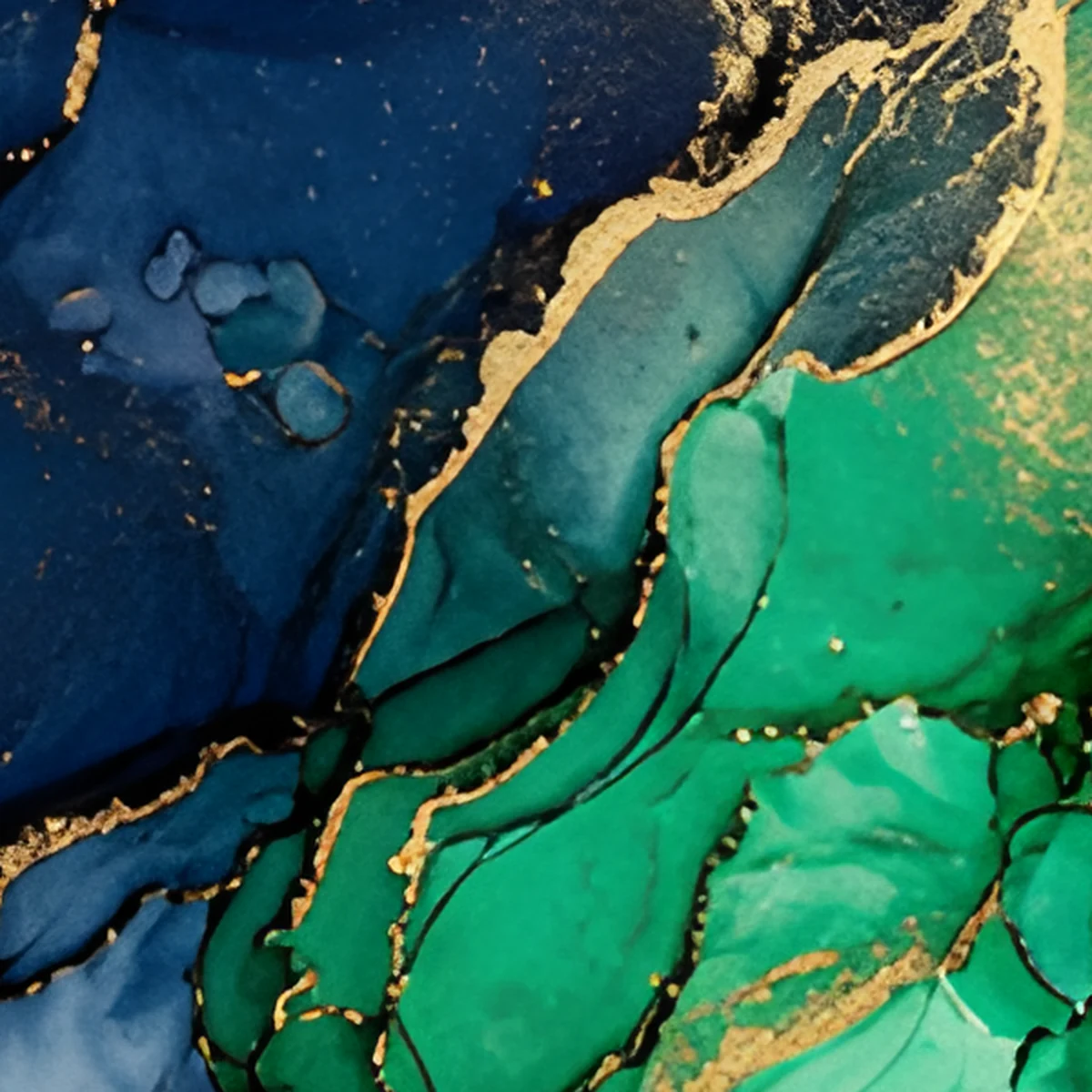
Claude or your favourite image tool makes the artwork.
Turned into sharp 300 DPI print files, on your own PC.
Your agent sends the files to Gelato or Printify through their own connectors.
One price. Forever.
Made for print-on-demand sellers, and it works on any image. Try it on your own first, and buy it once if you love it.
Move a lens over your own art and compare a normal resize with RezUp, up close.
The browser is much slower than the app, so the demo sharpens only the spot under the lens. Downloads are watermarked samples.
Try it on your imageDo my images get uploaded?
No. The app and the browser demo both run on your own computer. Only your e-mail for sign-in, licence checks and an image count go online, never your artwork.
Is it only for print-on-demand?
No. It’s built around what print-on-demand sellers need, but it makes any image bigger and sharper: your own photos, prints for your walls, anything you like.
Can I sell the images I upscale?
Yes. Your images stay yours. RezUp claims no rights to anything you make with it.
How fast is it?
About 25 seconds per image on a modern laptop, measured taking a 1024 px image to a 24×36 in print file at 300 DPI on built-in Intel Arc graphics. Faster with a gaming graphics card. Works without one, just much slower.
Can I try it before I buy?
Yes. The browser demo gives you 5 images: the first with no sign-up, 4 more with an e-mail code. It’s much slower than the app, so it sharpens only the spot under the lens, and downloads are watermarked samples.
Can I get a refund?
Yes. You get a 14-day money-back guarantee: a full refund within 14 days of purchase, no questions asked. Just e-mail hello@getrezup.com.
Will Windows warn me when I install it?
It may, because RezUp is new. If you see “Windows protected your PC”, click More info → Run anyway.
Which files can I use?
JPG, PNG, WebP, BMP and TIFF. RezUp saves print-ready JPG or PNG, with a transparent background when you need one.
Do I need CMYK files?
Usually not. Most print-on-demand platforms ask for RGB files and handle the printing colours themselves. RezUp opens CMYK files too and saves standard sRGB.
Is there a Mac version?
Not at the moment. RezUp runs on Windows 10 and 11.
How big can it go?
Up to 40,000 px on the long side, about 11 ft at 300 DPI. RezUp tells you if an original is too small for a sharp print at the size you want.
Can I use it on my laptop and my desktop?
Yes. One licence covers 2 computers, and you can move it any time in Help → Licence.
What’s the catch with “pay once”?
None. Every version 1 and 2 update is included. A future version 3 would be an optional, discounted upgrade.